
R&D AND FORMULATION
Model your actives, products, and formulations.
For formulators and R&D teams: define how each active behaves, model how actives interact, and build products from raw materials.
WHAT IT ACTUALLY DOES
Actives, interactions, and products on one chain
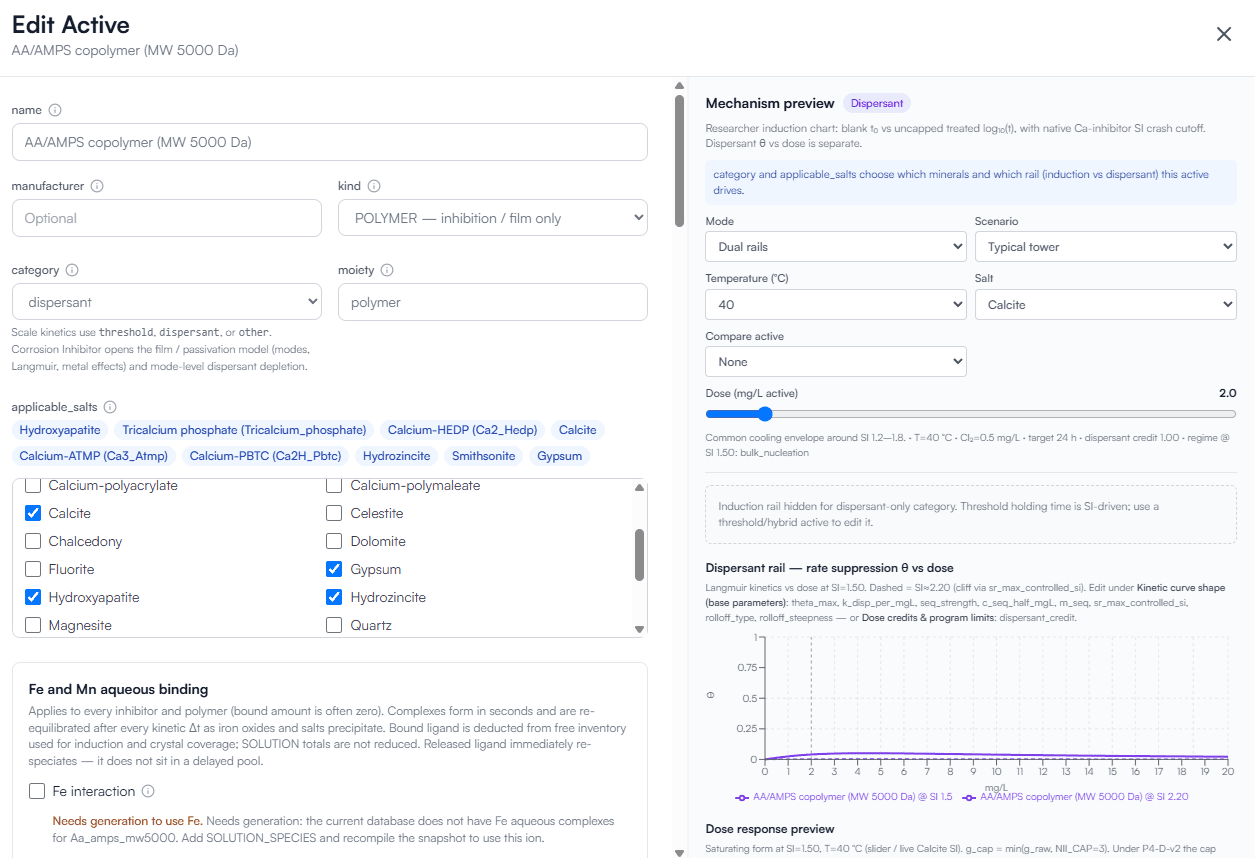
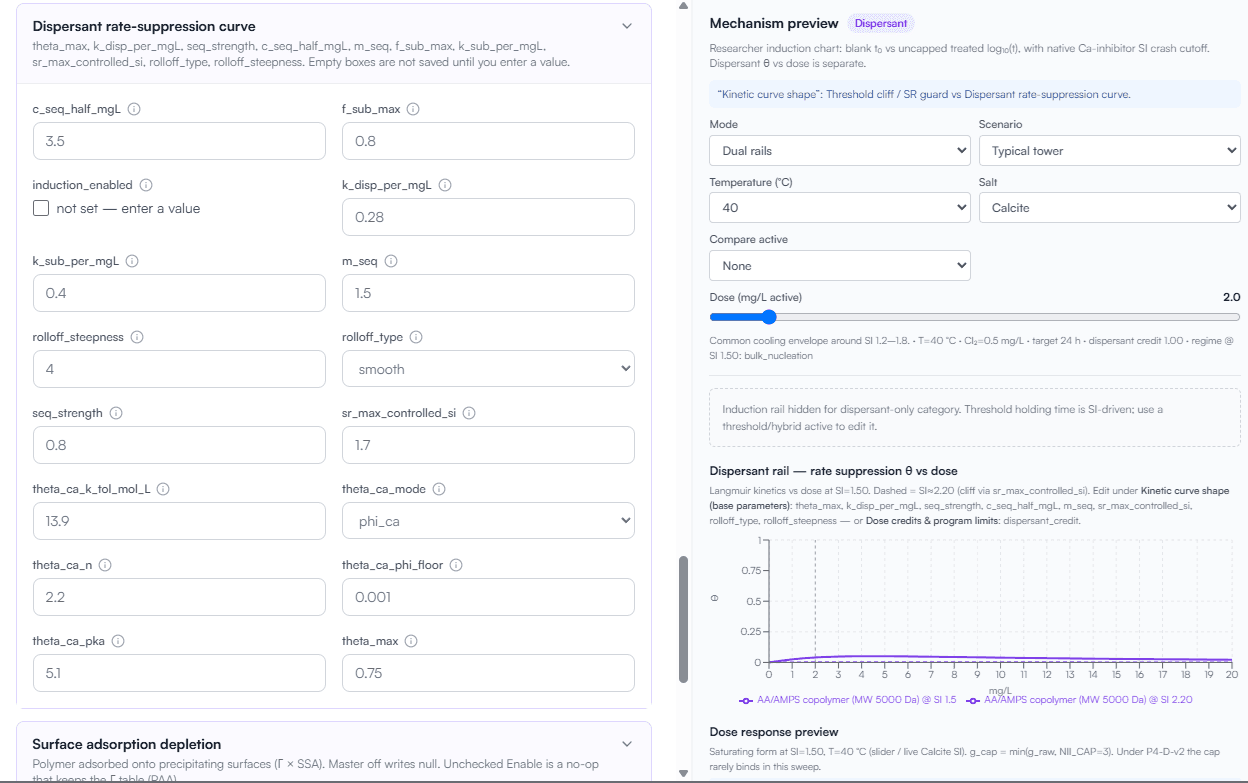
Edit actives
Kind, category, applicable salts, kinetic parameters, and a mechanism preview before a lab trial.
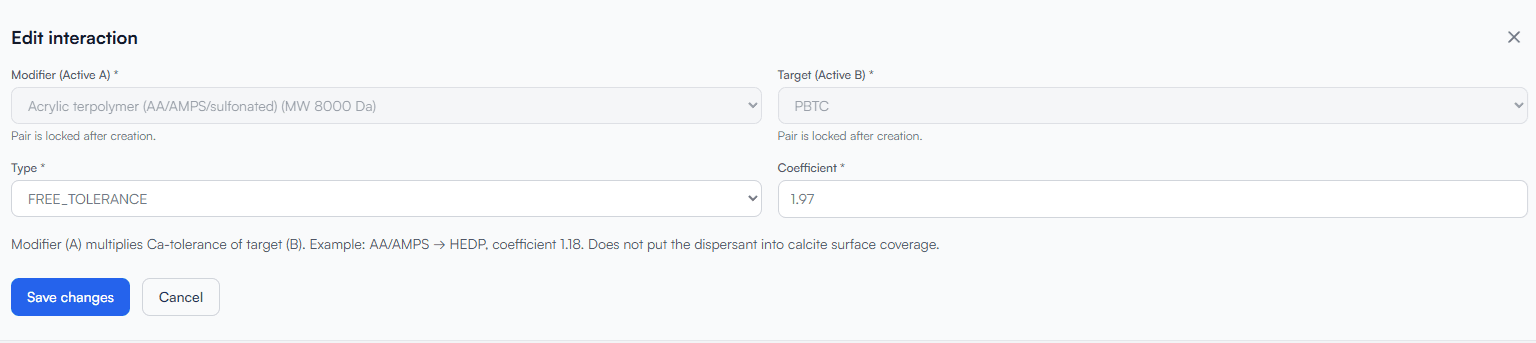
Active interactions
Synergy, neutral, and antagonism coefficients between a modifier and a target active.
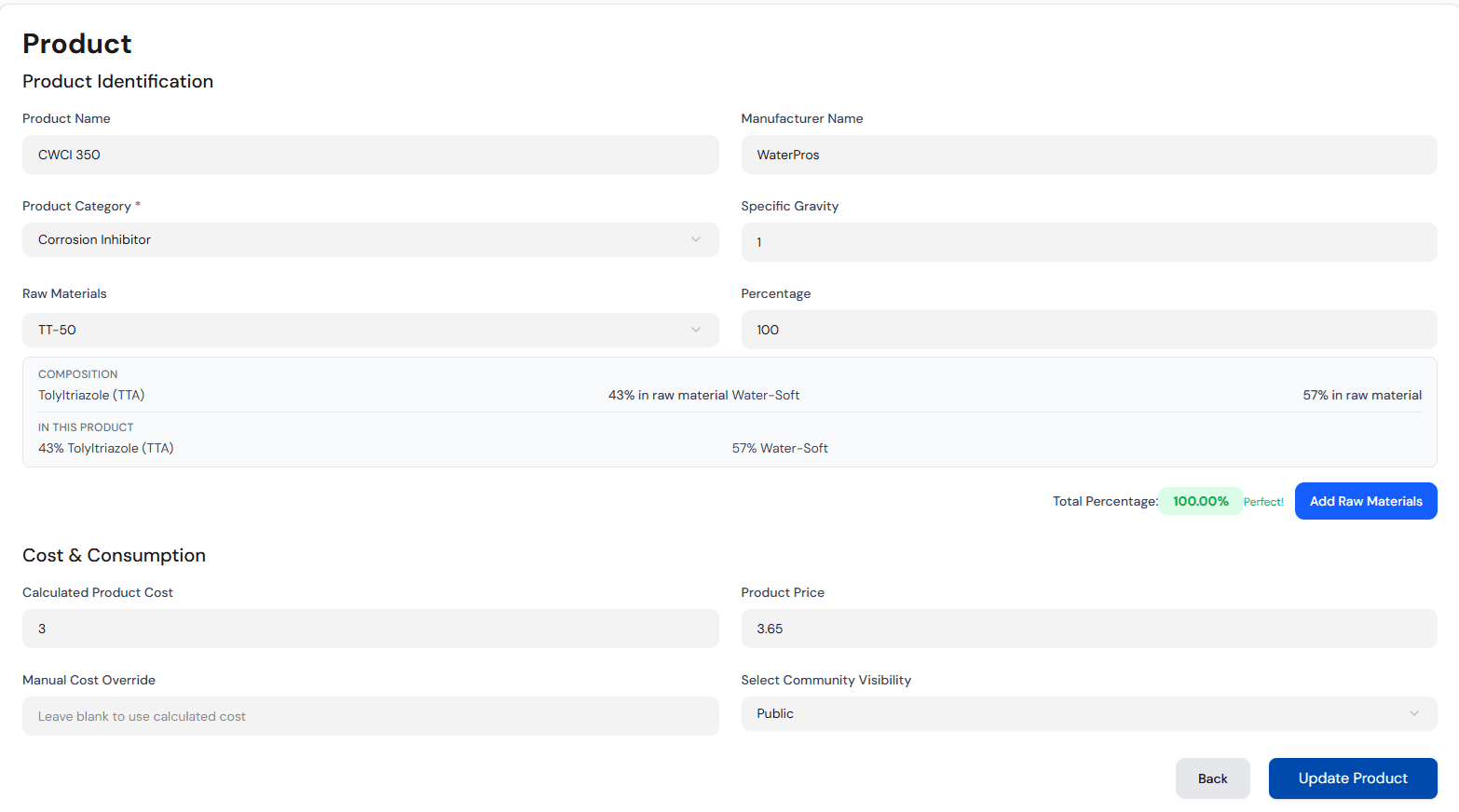
Products from raw materials
Composition rolls up from raws to actives, with calculated cost and price, and visibility that protects formulation data.
Program and model
The same product you define here is the product a treatment program and a chemistry model consume.
EDIT ACTIVES
Define how each active behaves
Kind and category
Threshold, dispersant, or corrosion inhibitor.
Applicable salts
Calcite, gypsum, hydroxyapatite, and more.
Kinetic parameters
Rate-suppression and induction curves; iron and manganese binding.
Mechanism preview
Dose response at a chosen saturation, before a lab trial.
ACTIVE INTERACTIONS
Model how actives raise or lower each other
Synergy (> 1)
A modifier raises the calcium tolerance of the target active.
Neutral (= 1)
No interaction modeled.
Antagonism (< 1)
A modifier lowers the target's tolerance.
Example: acrylic terpolymer on PBTC, coefficient 1.97.
Screen blends before lab work and explain field results one active alone cannot.
PRODUCTS FROM RAW MATERIALS
Build products from raw materials
Composition
Composition rolls up from raws to actives.
Cost and price
Calculated cost and price.
Visibility
Private or community visibility protects formulation data.
- Raw material
- Active
- Product
- Program
- Model
HOW IT WORKS
Raw material to model
Define the active
Set kind, salts, and kinetic parameters, then preview dose response at a chosen saturation.
Set interactions
Record synergy, neutral, or antagonism coefficients between actives.
Build the product
Roll composition up from raw materials, calculate cost and price, and choose visibility.
Attach to a program
The product enters a treatment program and the chemistry model that uses it.
OUTPUTS
What you get out
- Active definitions with salts and kinetic parameters
- Interaction coefficients you can screen before lab work
- Product composition rolled up from raw materials
- Calculated cost and price
- Private or community visibility on formulation data
WHO THIS IS FOR
Who this is for
- Formulators defining how each active behaves
- R&D teams screening blends before lab work
- Product managers who need cost and price from the same bill of materials
Model an active on your own product line.
30-minute technical walkthrough — bring an active and a raw-material bill and we will walk the chain.