
ANALYSIS LAB
Engineering calculations for every application.
Independent calculators a chemist uses every day, available on site and attached to the visit and the asset.
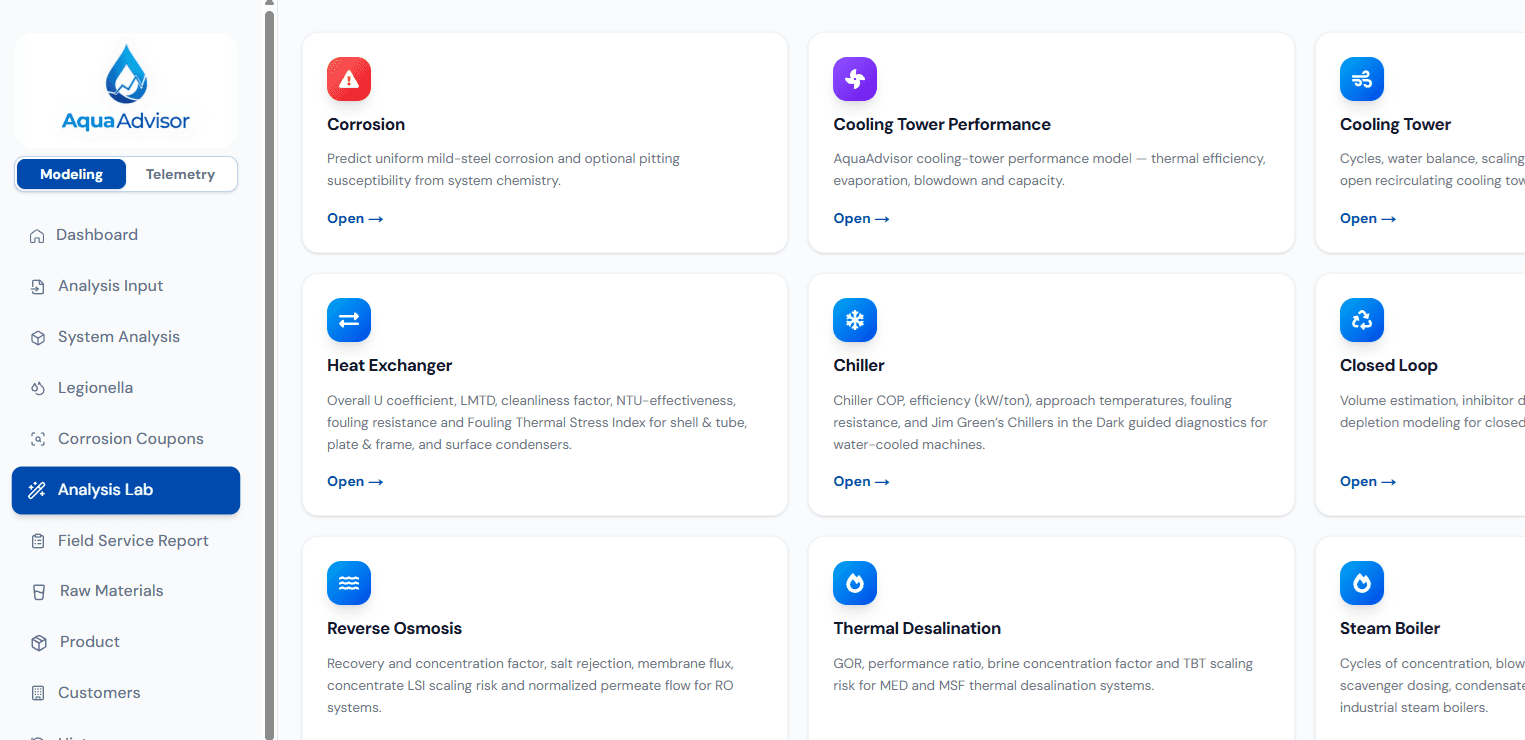
CALCULATORS
Engineering calculators for every application
- CorrosionMild-steel rate and pitting screen
- Cooling towerCycles, water balance, indices, dosing
- Cooling tower performanceEfficiency, evaporation, capacity
- Heat exchangerU-coefficient, LMTD, cleanliness, NTU, fouling resistance, fouling thermal stress index
- ChillerApproach temperatures, efficiency, and guided diagnostics
- Closed loopVolume, dosing, glycol, inhibitor depletion
- Reverse osmosisRecovery, rejection, flux, concentrate scaling
- Thermal desalinationPerformance ratio, brine concentration, scaling
- Steam boilerCycles, blowdown, heat loss, silica carryover
- DemineralizationCapacity and regeneration checks
- Water softenerCapacity, hardness leakage, regeneration
- FiltrationLoading and backwash checks
WHAT IT ACTUALLY DOES
Calculators bound to the visit and the asset
Independent calculators
The same engineering checks a chemist already runs — towers, exchangers, chillers, closed loops, membranes, boilers, ion exchange, and filtration.
Asset data or typed values
Prefill from the asset record, or enter values on site. Saving is never blocked by a missing field.
Attached to the visit
Results stay on the visit and the asset history, so the next rep does not re-run the same check from a spreadsheet.
Available in the field
Run the calculator at the asset and carry the result into the field service report.
HOW IT WORKS
From calculator to the asset record
Pick a calculator
Choose the calculator for the application in front of you.
Use the asset's data or enter values
Prefill from the asset record, or type values on site.
Attach results to the visit and asset
Results stay on the visit and the asset history.
OUTPUTS
What you get out
- Calculator results attached to the visit and the asset
- Cooling, exchanger, chiller, and closed-loop checks
- RO, thermal desalination, and boiler balances
- Demineralization, softener, and filtration checks
- A corrosion rate and pitting screen you can take into the report
WHO THIS IS FOR
Who this is for
- Field chemists who need a calculator at the asset, not back at the office
- Technical support reviewing a visit without rebuilding the spreadsheet
- Account teams who want the same check every time, on the same record
Run the calculators on a live asset.
30-minute technical walkthrough — bring a field sheet and we will run the calculators that belong on that visit.